Fixed Assets Management
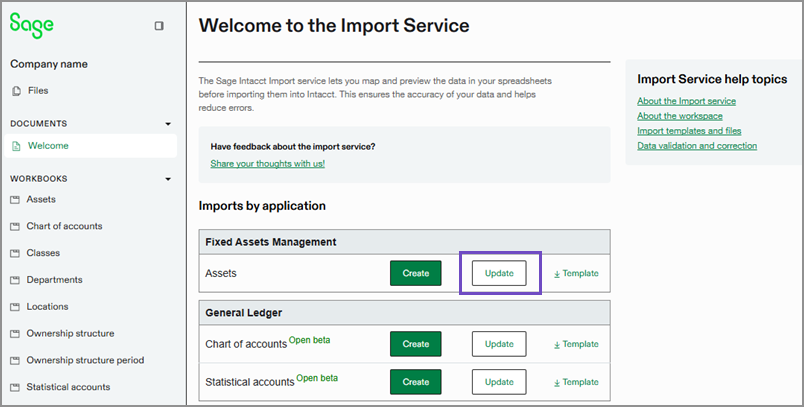
Update assets in bulk using the import service
You can now update assets in bulk using the import service, saving time and reducing manual effort. This enhancement lets you perform the following actions for multiple assets at once:
Place assets in service
Dispose of assets
Transfer assets
Place assets back in review
Place assets back in service
Update asset details
Key benefits
Save time and effort: Update multiple assets at once instead of modifying each one manually.
Simplify workflows: Streamline asset management with an easy-to-use import process.
Scale with ease: Efficiently manage large asset portfolios as your organization grows.
What's changed
Previously, you could only update asset details and change asset states one at a time. Now, a new Update option in the import service lets you modify assets in bulk.
How it works
Export the Assets list to Excel.
Update asset fields in the Excel sheet.
Import the updated sheet back into Intacct.
Permissions and other requirements
| Subscription | Company Fixed Assets Management |
|---|---|
| Regional availability | All regions |
| User type | Business |
| Permissions | Company
Fixed Assets Management
|
| Restrictions | When updating assets using the import service, you cannot clear existing field values. However, you can update them to different values. |
