accounts receivable
New transaction options when running customer statements
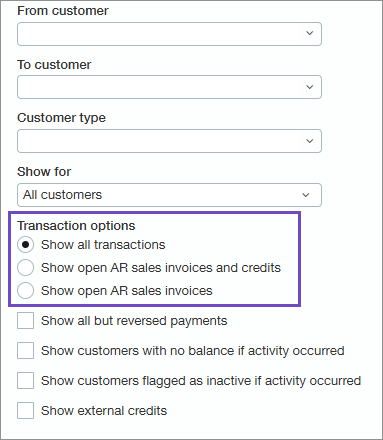
Introducing a better way to select which transactions you want included in your customer statements. Now, when you run open item customer statements, there are new transaction options for you to select from. These options provide more granularity and insight into which transactions will appear in the statement. The updated transaction options include the following:
Show all transactions
Show open AR sales invoices and credits
Show open AR sales invoices
Key benefits
Updated transaction options help you easily identify and select which transactions will appear in the statement
New options allow you to include open AR sales invoices and credits or open AR sales invoices only
More clarity regarding what will appear in the statement without having to view it first
How it works
Go to Accounts Receivable > All > Invoices > Print or email > Statements.
Select Open items as the statement type.
Select one of the following transaction options:
Show all transactions
Show open AR sales invoices and credits
Show open AR sales invoices
Optionally, enter other filter criteria.
Select View.
Permissions and other requirements
| Subscription | Accounts Receivable |
|---|---|
| Regional availability | All regions |
| User type | Business |
| Permissions | Print or email statements: Run |
| Restrictions |
|
